
Description
This freelance income tracker Excel South Africa self-employed template helps independent professionals track every rand they earn. Designed specifically for South African freelancers, it tracks client income, project revenue, expenses, and provides a monthly income summary in ZAR.
Stop chasing numbers across three different apps.
This Excel template gives freelancers and independent consultants a single, complete financial system — from your first client contact to your year-end P&L. Every sheet connects. Every number updates automatically. Open it on Monday morning and know exactly where your business stands.
What’s included
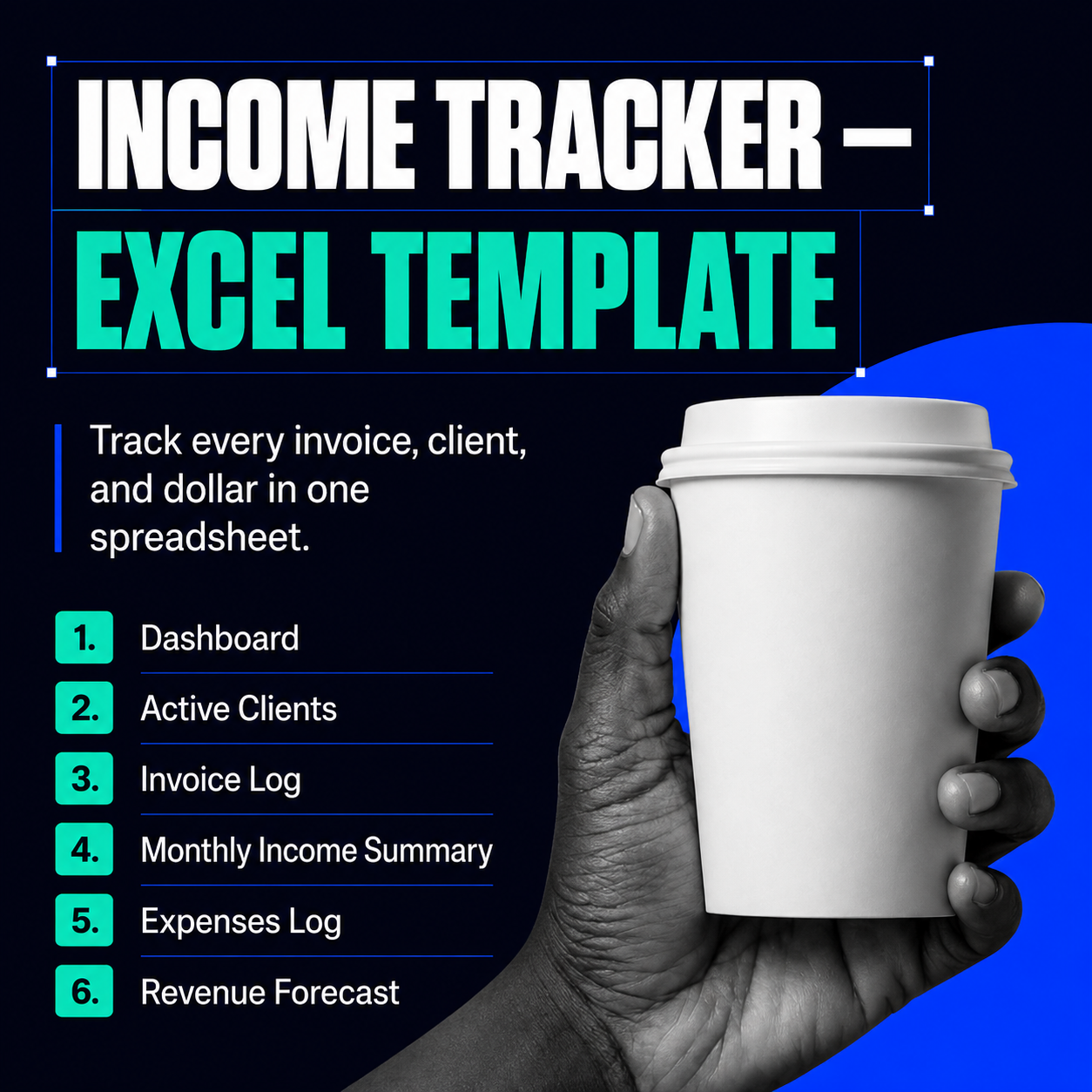
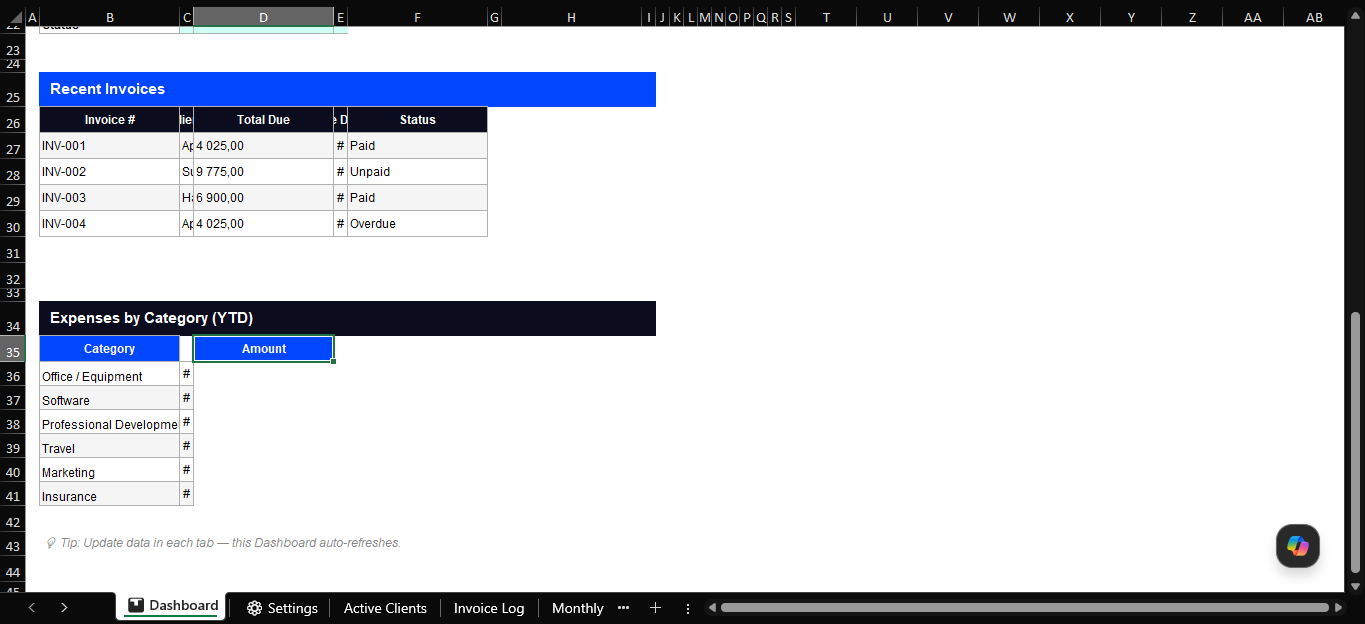
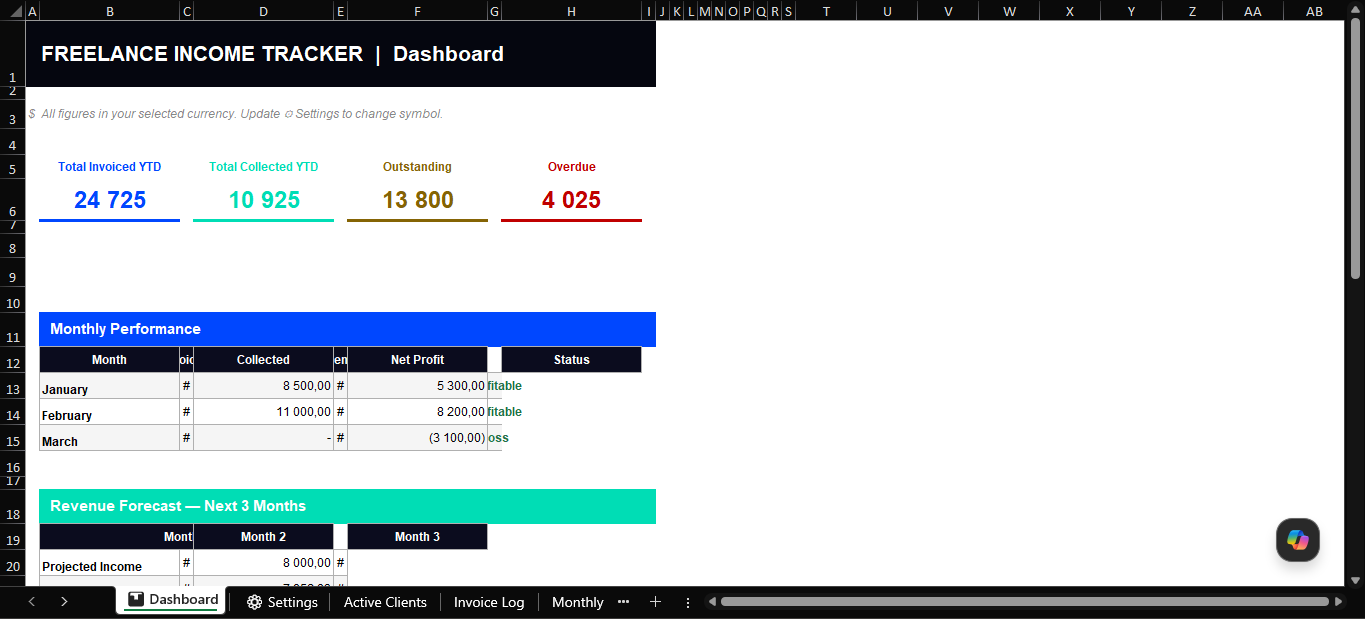
📊 Dashboard One-screen overview of your entire business. Total invoiced, collected, outstanding, and overdue — plus a live monthly performance table, revenue forecast snapshot, recent invoice list, and expenses by category. Built from cross-sheet formulas: update any tab and the dashboard reflects it instantly.
Active Clients Your full client roster with contact details, service type, engagement type (retainer, project, or once-off), fees, start and renewal dates, and live status. Everything you need before picking up the phone.
Invoice Log Log invoices, track payment status (Paid, Unpaid, Overdue), and let the sheet do the maths. Tax is calculated automatically from your Settings rate. Days Overdue counts itself. YTD totals update with every new entry.
Monthly Income Summary Month-by-month breakdown of invoiced, collected, outstanding, expenses, and net profit — with a rolling YTD total and auto-generated status (Profitable / Loss / Break-even) for every month.
Expenses Log Categorised business expenses with a tax-deductible flag and automatic SUMIF subtotals by category. One place to capture everything your accountant will ask for.
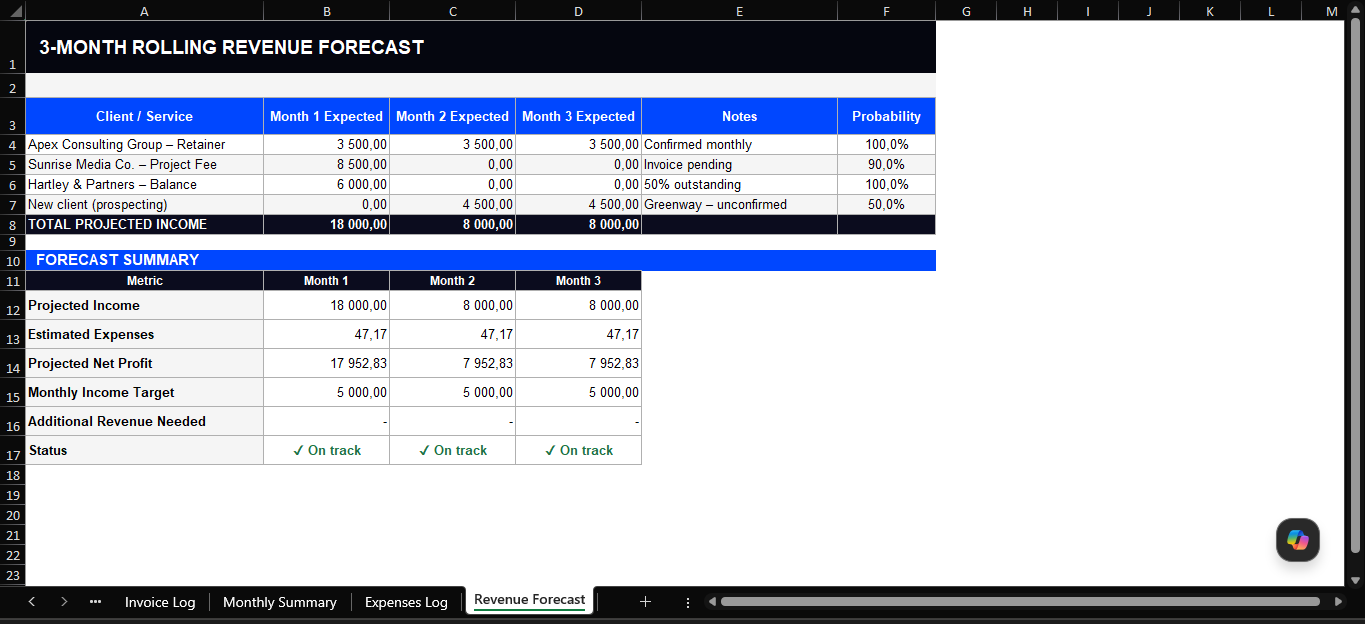
Revenue Forecast A 3-month rolling projection with a built-in gap analysis. Enter your expected income per client and the sheet tells you whether you’re on track to hit your monthly target — or how much more you need to close.
⚙ Settings Change your currency symbol once ($, £, €, R, or any other) and it updates across the entire workbook. Set your tax/VAT rate and monthly income target in the same place.
Built for Freelancers, independent consultants, coaches, designers, copywriters, photographers, and any solo service professional managing multiple clients and projects.
Works in Microsoft Excel (2016 and later) and Google Sheets.
Instant download. No subscription. Pay once, use it for your business.
Why Use This Freelance Income Tracker Excel South Africa Self-Employed Template?
As a South African freelancer or self-employed professional, keeping track of income can be complicated. You may have multiple clients paying on different dates, and you need to reconcile your income for SARS tax purposes, provisional tax submissions, and VAT calculations. This freelance income tracker Excel South Africa self-employed template makes all of this simple.
Unlike generic income trackers, this template is built for the South African tax environment. It includes fields for invoiced amounts, actual payments received, outstanding invoices, and monthly income summaries that align with SARS provisional tax periods.
Who Should Use This Freelance Income Tracker?
This freelance income tracker Excel South Africa self-employed template is designed for freelancers, consultants, contractors, and sole proprietors who need to track their income accurately. Whether you are a freelance designer, developer, writer, marketer, or any other self-employed professional operating in South Africa, this tracker gives you clarity on your earnings.
Frequently Asked Questions
Is this income tracker suitable for SARS tax submissions?
Yes. The freelance income tracker Excel South Africa edition includes monthly income summaries that align with SARS provisional tax periods and IRP6 submissions.
Does this work in Google Sheets?
Yes. Upload the Excel file to Google Drive and open it with Google Sheets. All formulas work correctly.




&url=https://docxdrop.com/product/business-proposal-template-editable-word-document&media=https://docxdrop.com/wp-content/uploads/2026/06/ChatGPT-Image-Jun-13-2026-11_43_44-PM-1024x1024.png)

