
Description
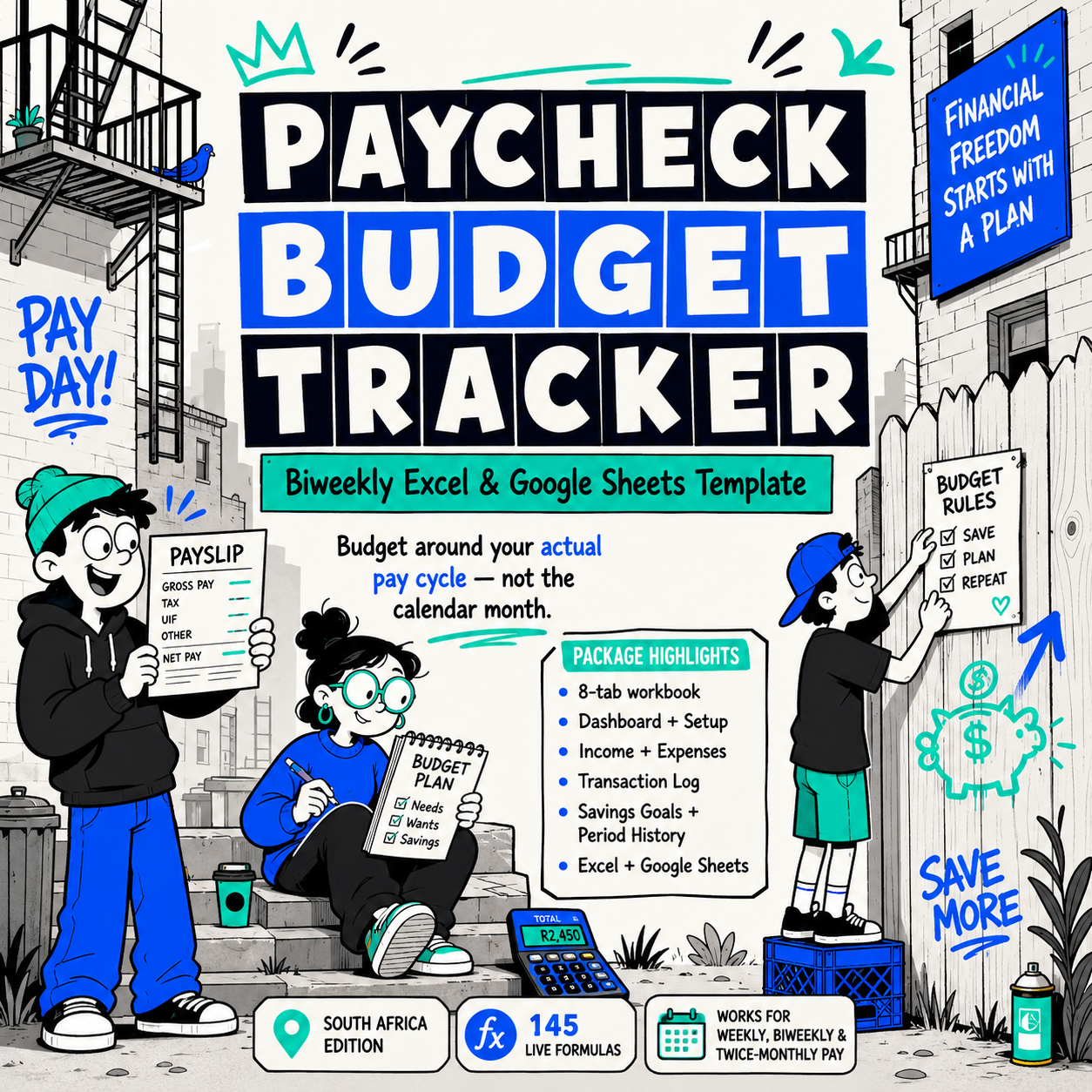
This paycheck budget tracker biweekly South Africa Excel template helps you manage your budget around your actual pay cycle. Whether you get paid weekly, biweekly, or twice a month, this tracker ensures every rand is assigned before it hits your account.
Most budgets fail because they’re built around the month — not the paycheck. This tracker is designed around your actual pay cycle.
The Paycheck Budget Tracker is an 8-tab Excel workbook (fully Google Sheets compatible) that gives you a clear picture of every biweekly period: what came in, what went out, what’s left, and whether you’re on track toward your savings goals.
What’s included:
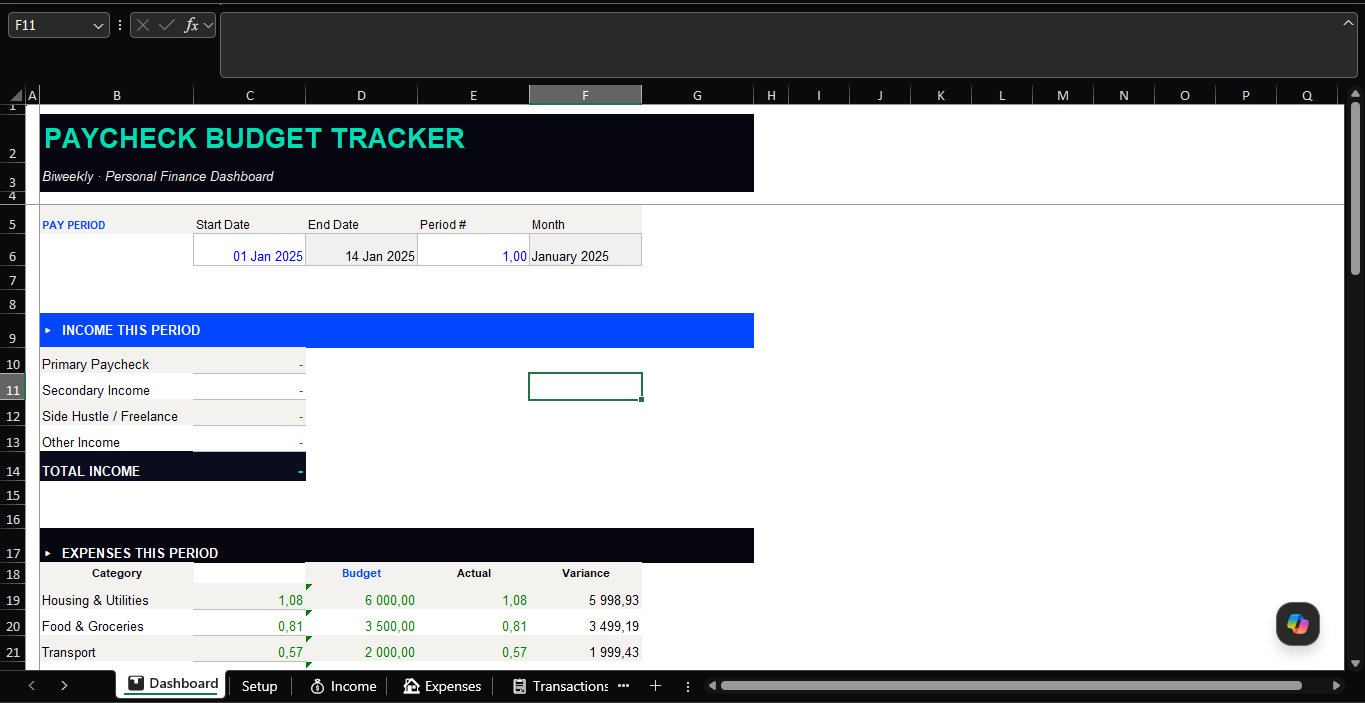
📊 Dashboard — Your command centre. Pulls live totals from every tab. Shows net balance, savings rate %, budget adherence %, and a dynamic status message that tells you exactly where you stand.
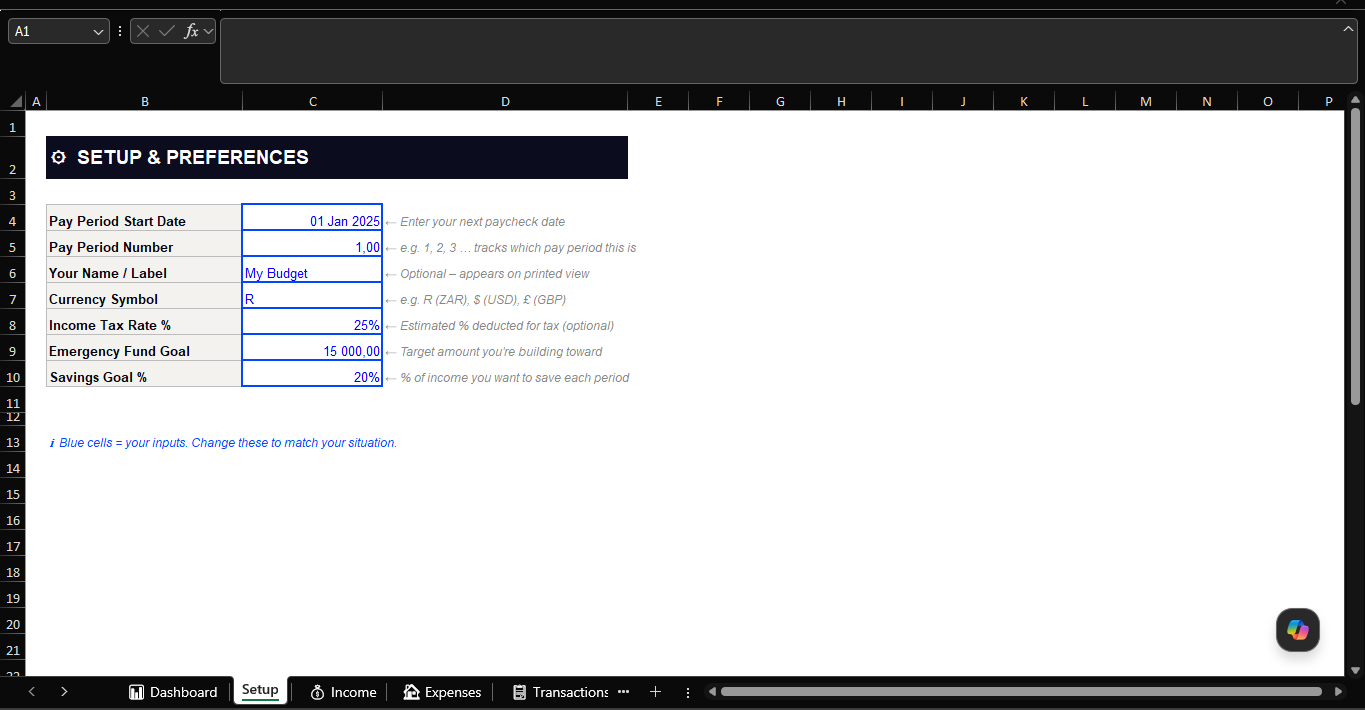
⚙ Setup — Enter your pay period start date, period number, currency, tax rate, emergency fund target, and savings goal % once. Everything else updates automatically.
💰 Income — Log up to 8 income streams per period (paycheck, side hustle, freelance, rental, investment, and more). Tracks expected vs actual with a post-tax estimate built in.
🏠 Expenses — 10 budget categories with editable per-period targets. See your budget, actual spend, variance, and % used — all pulled live from your transaction log via SUMIF formulas.
📋 Transaction Log — The daily log. Record every expense with date, category, description, amount, and payment method. 50 rows pre-formatted. Expenses update automatically across the workbook.
🎯 Savings Goals — Track up to 6 financial goals simultaneously. Progress percentages and emoji status indicators (✅ Complete / 🟡 Almost there / 🔵 Halfway / 🔴 Just starting) update automatically.
📈 Period History — Archive your totals period by period to build a financial track record over time. Pre-seeded with example data so you can see how it works from the moment you open it.
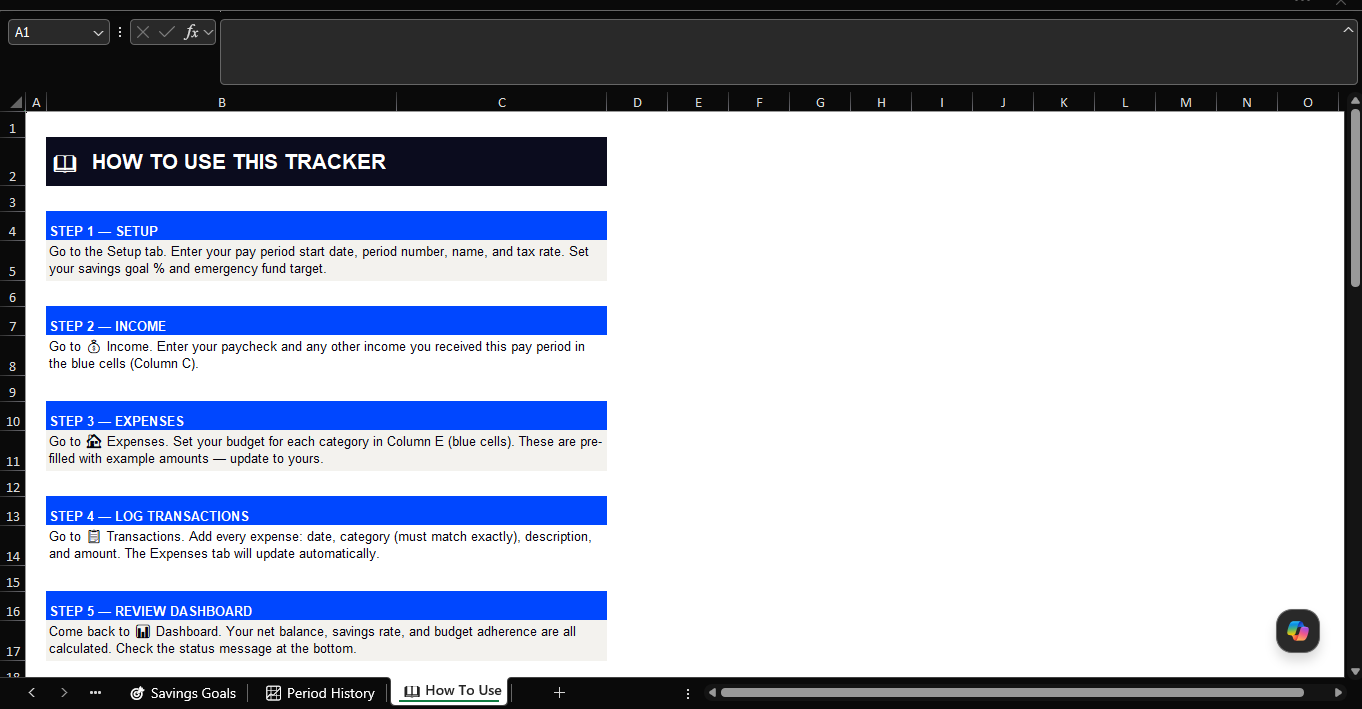
📖 How To Use — A step-by-step guide built into the workbook. No manual needed.
Built for real use:
- 145 live formulas — no manual calculations
- Pre-filled with realistic example data so the structure is immediately clear
- Blue cells = your inputs. Black cells = formulas. Nothing to guess
- Works in Excel (Windows & Mac) and Google Sheets
- Industry-standard colour coding throughout
Who it’s for: Salaried employees, freelancers, and anyone living on a biweekly pay cycle who wants to stop guessing and start knowing exactly where their money goes.
Why Use a Paycheck Budget Tracker Biweekly South Africa Edition?
Traditional monthly budget spreadsheets don’t work well for people who get paid biweekly or weekly. When you receive your paycheck mid-month, a monthly budget makes it hard to allocate funds accurately. This paycheck budget tracker biweekly South Africa template is designed around your actual pay cycle, not the calendar month.
By budgeting per paycheck, you always know exactly how much you have available before bills are due, groceries need buying, and savings need funding. It eliminates the confusion of managing expenses across pay periods and helps South Africans eliminate budget gaps and financial stress.
Who Is This Paycheck Budget Tracker For?
This paycheck budget tracker biweekly South Africa Excel template is ideal for employees paid fortnightly, contract workers with irregular pay schedules, and anyone who finds monthly budgets don’t reflect their real cash flow. It is especially useful for households managing multiple income streams or dual-income couples with different pay dates.
Frequently Asked Questions
Can I use this for weekly pay instead of biweekly?
Yes. While designed for biweekly pay, the tracker can be adapted to weekly, semi-monthly, or any other pay frequency by adjusting the period dates in the setup sheet.
Does this work in Google Sheets?
Yes. Upload the Excel file to Google Drive and open it with Google Sheets. All formulas and layouts transfer correctly.



&url=https://docxdrop.com/product/freelancer-rate-calculator-pricing-worksheet-excel&media=https://docxdrop.com/wp-content/uploads/2026/06/ChatGPT-Image-Jun-14-2026-12_11_18-AM-1024x1024.png)
