
Description
This Notion template for students South Africa academic planner is a complete operating system for your university or college life. Built specifically for South African students, it combines assignment tracking, exam prep, budgeting, habit tracking, and grade management into a single powerful Notion workspace.
Most student Notion templates give you a dashboard. The DocxDrop Student OS gives you a system.
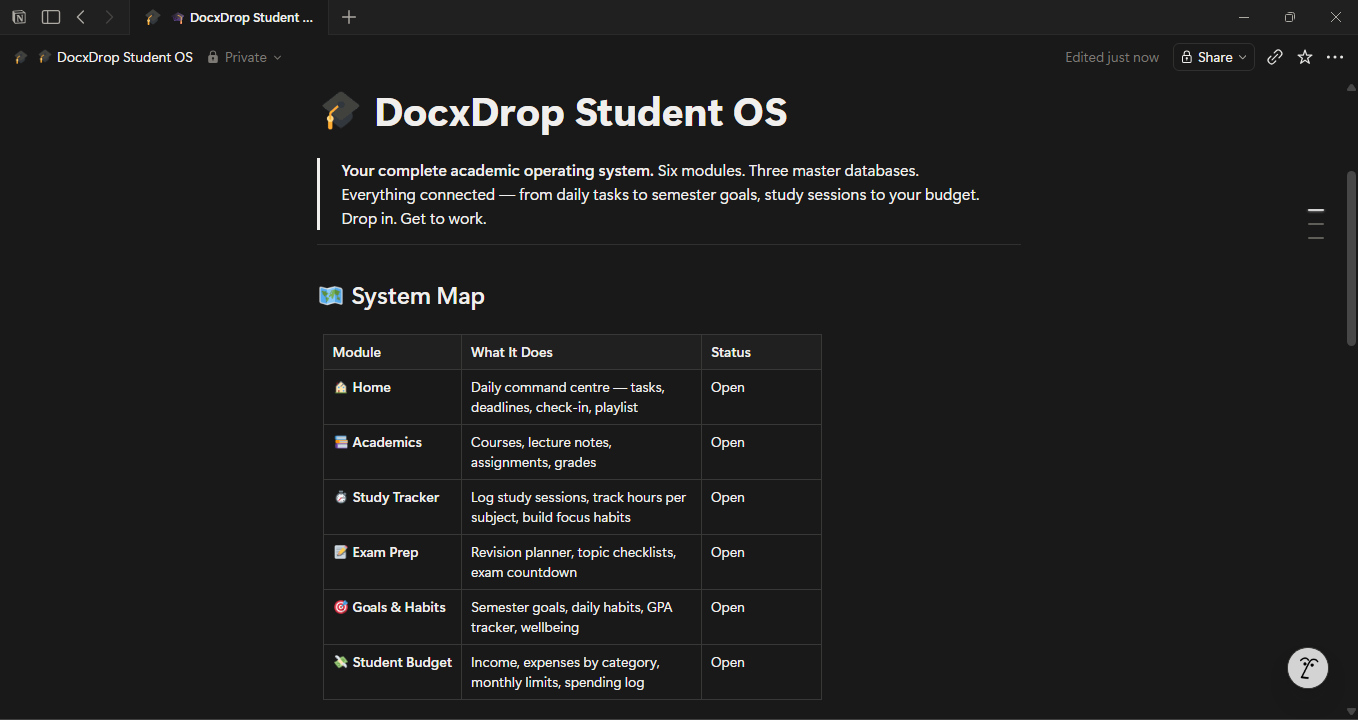
Six fully built modules. Three master databases. Seeded with real example data so you can see exactly how it works the moment you duplicate it. Drop in. Get to work.
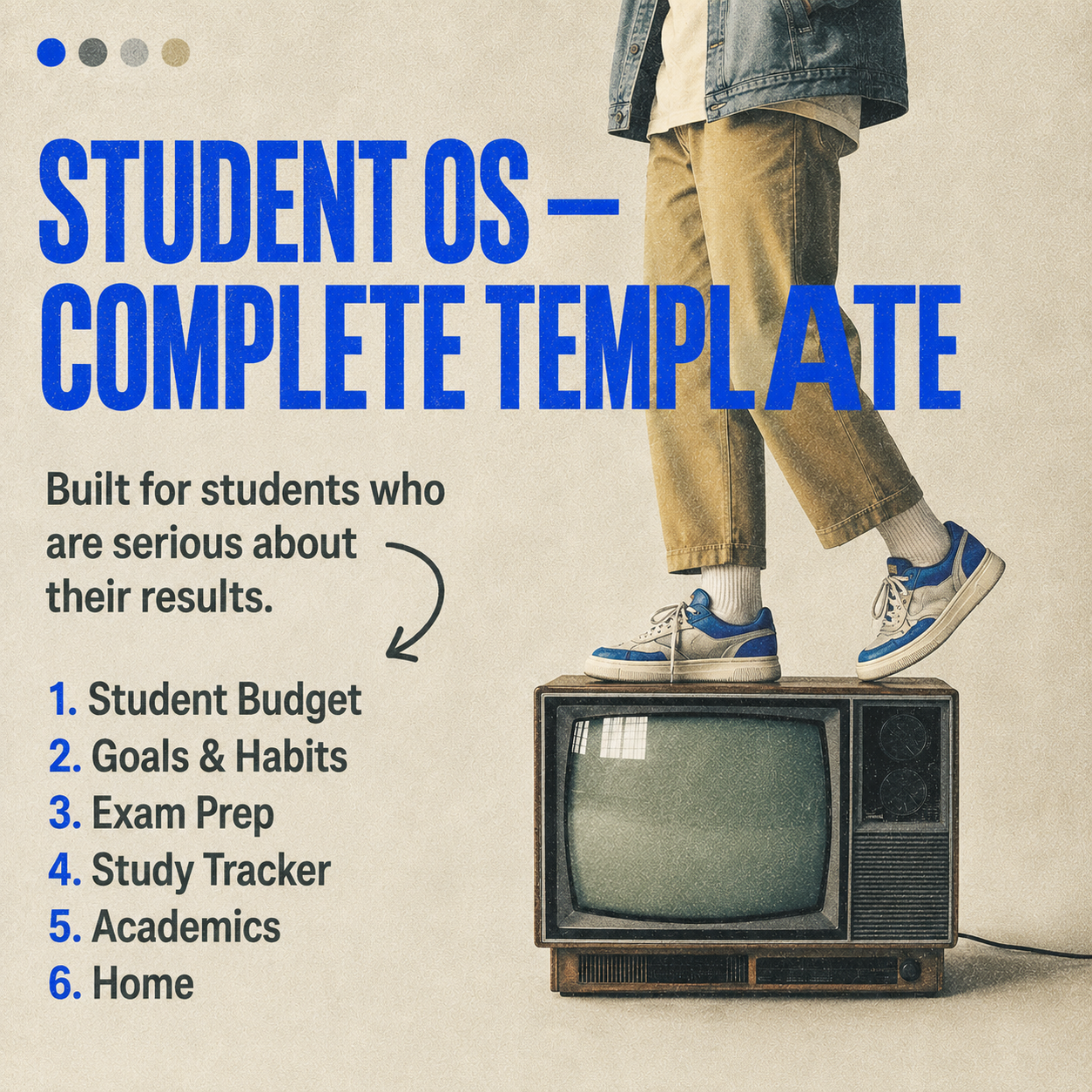
The six modules:
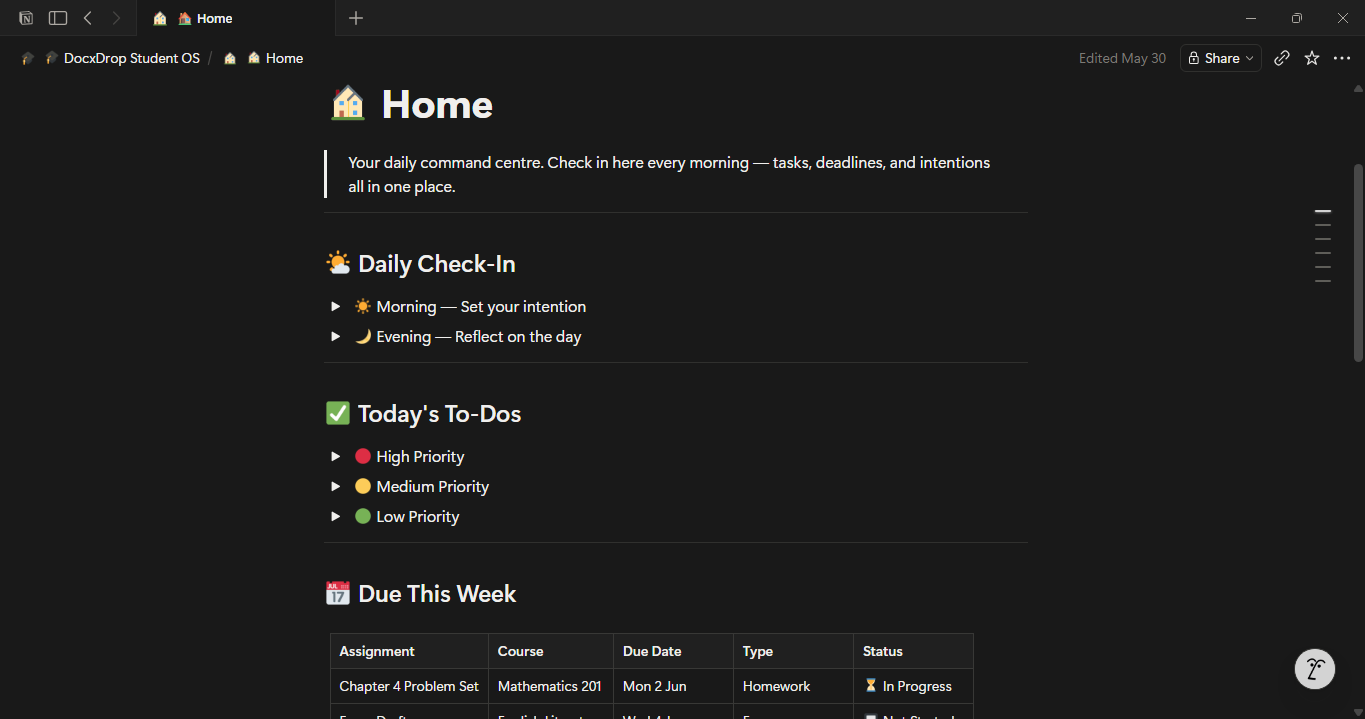
🏠 Home is your daily command centre. It opens with a morning and evening check-in, a priority-sorted to-do list, deadline tables for the week and month ahead, and a study playlist embed. Everything you need to start the day focused and end it with clarity.
📚 Academics holds your complete course list with lecturer details, email contacts, schedules, credits, grade targets, and current grades. Lecture notes are organised per subject in collapsible toggles. Your full assignment tracker shows every submission with its type, weight, status, and grade received — all linked to the master Assignments database.
⏱ Study Tracker is where most student templates stop at a pomodoro embed. This module logs every study session with the course, date, duration, study method, focus quality, and location. A weekly hours-at-a-glance table shows how your actual time compares to your target per subject. Over a semester, this becomes the clearest picture of where your effort is really going.
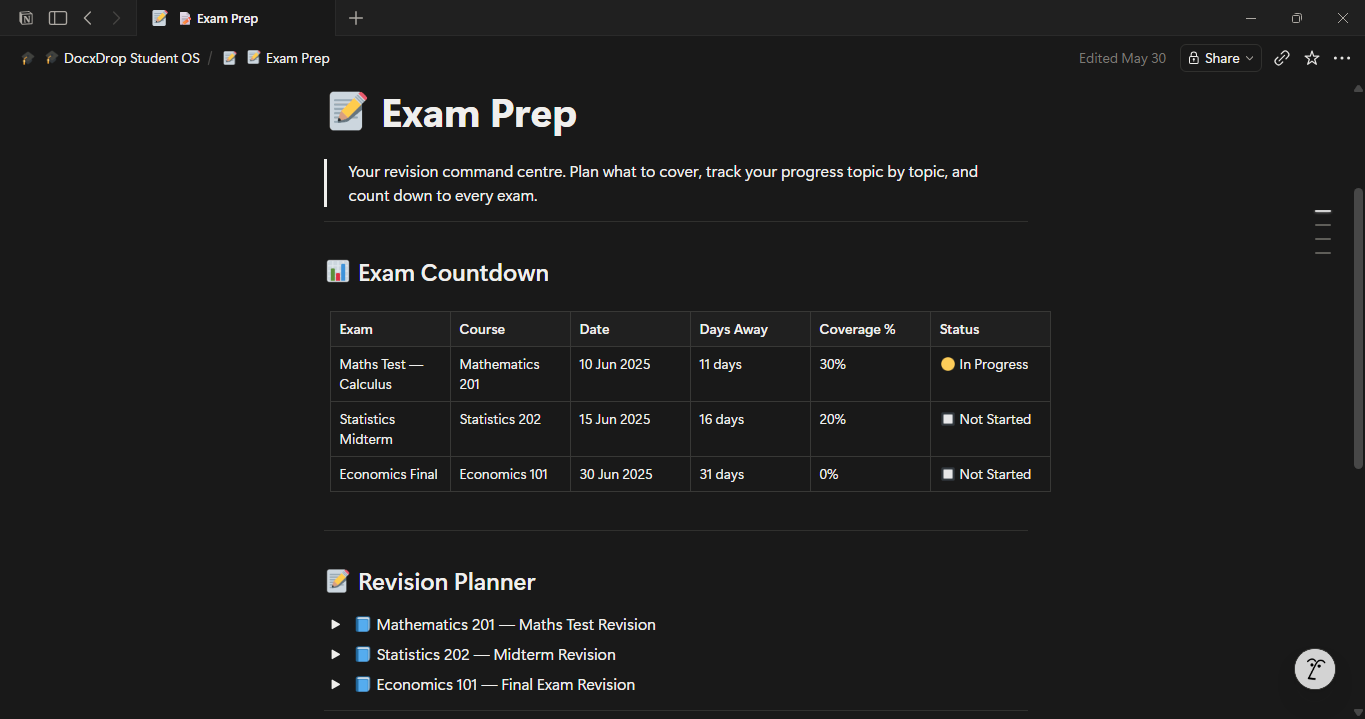
📝 Exam Prep is a full revision command centre. It includes an exam countdown table with days remaining and coverage percentage per subject, per-exam revision planners with topic-by-topic checklists and scheduled revision dates, a flashcard bank organised by subject, and an exam strategy guide built on evidence-based study techniques.
🎯 Goals & Habits connects your day-to-day behaviour to your semester outcomes. Set academic and personal goals with targets, current status, and deadlines. Track your running GPA and grades per course in one place. A daily habit tracker covers study hours, social media limits, exercise, sleep, water, and reflection. A weekly wellbeing check keeps you honest about how you’re actually doing — not just academically.
💸 Student Budget is a proper financial module, not a list. Eleven spending categories with monthly limits, a real-time spending status (on track, watch it, maxed), a full income tracker, and a detailed expense log with payment method tracking. Default formatting uses South African Rand (ZAR) and includes categories relevant to South African students: NSFAS allowances, data and airtime, Uber, and local groceries.
Three master databases:
All six modules draw from three connected databases. The Assignments database has ten properties including assignment weight, revision flag, and grade received — with table, calendar, board, and needs-revision views. The Courses database has twelve properties including course code, lecturer email, semester, and notes — with table and gallery views. The Study Sessions database has nine properties including study method, focus quality, and next session goal — with session log, by-subject board, and study calendar views. Enter data once and it surfaces everywhere.
Who it’s for:
University students, college students, and high school students who want more than a pretty dashboard. Built for students managing multiple subjects, part-time work or side projects, a real budget, and genuine academic goals — and who want one system that handles all of it.
How to get started:
Duplicate the template into your Notion account. Open the Home module and fill in your About Me table. Add your courses to the Academics module and the Courses database. Log your first study session. Set your semester goals. The example data is already in place — replace it at your own pace or clear it all at once and start fresh.
Why Choose This Notion Template for Students South Africa Academic Planner?
Generic student planners don’t account for the South African academic calendar, NSFAS budgeting, or the unique pressures of studying at a South African university. This Notion template for students South Africa academic planner is built with these realities in mind, including semester-based planning, exam block management, and a student budget tracker in ZAR.
Unlike paper planners or basic Notion templates, the Student OS gives you an interconnected system where your assignments link to your courses, your study sessions link to your exams, and your budget links to your monthly expenses. Everything works together as one intelligent academic operating system.
Who Is This For?
This Notion template for students South Africa academic planner is ideal for university students, college students, and postgraduate researchers who want to use Notion as their primary productivity tool. Whether you are at UCT, Wits, Stellenbosch, UNISA, or any other South African institution, this template adapts to your academic structure.
Frequently Asked Questions
Do I need a paid Notion account to use this template?
No. The Student OS works with a free Notion account. All features are available on the Notion free plan.
Is this template suitable for South African students?
Yes. It includes a student budget in ZAR, semester-based planning, and is designed around the South African academic year structure.




&url=https://docxdrop.com/product/client-onboarding-checklist-welcome-pack-word-pdf-template&media=https://docxdrop.com/wp-content/uploads/2026/06/ChatGPT-Image-Jun-14-2026-12_32_00-AM-1024x1024.png)

&url=https://docxdrop.com/product/freelancer-rate-calculator-pricing-worksheet-excel&media=https://docxdrop.com/wp-content/uploads/2026/06/ChatGPT-Image-Jun-14-2026-12_11_18-AM-1024x1024.png)
