Description
You can not scale a creator business on willpower and WhatsApp threads.
The moment you bring in a video editor, a thumbnail designer, or a virtual assistant, everything changes. Now you’re managing people, not just content. You’re tracking who is working on what, chasing deliverables, approving work, sending invoice payments, and somehow still trying to publish on schedule and grow your audience.
Most creators at this stage are running their team across five different apps — Notion for content, WhatsApp for briefs, Gmail for invoices, a spreadsheet for payments, and a Google Doc for SOPs that nobody reads. It is not a studio. It is a mess.
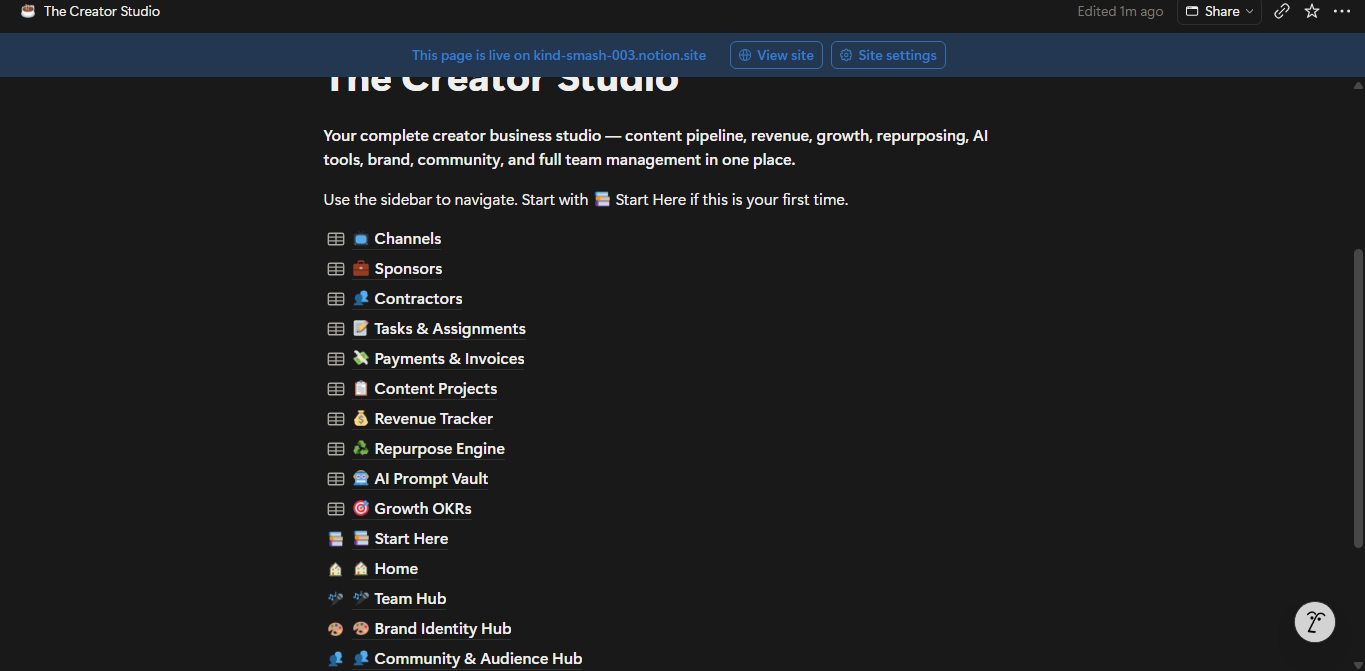
The Creator Studio is the system that fixes that. A single Notion workspace where your content, your business, and your team all live together — connected, organised, and built to scale.
Everything in The Creator OS, plus the full team management layer:
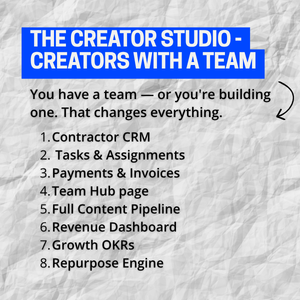
📋 Full Content Pipeline — The complete 6-stage Kanban workflow, editorial calendar, sponsor tracker, channel database, and 6 built-in project templates. Every content project now has an Assigned To field so you can link it directly to the contractor responsible.
💰 Revenue Dashboard — Track all income streams: AdSense, sponsorships, affiliates, digital products, memberships, and consulting. Grouped by month, quarter, and income type. Know your numbers without opening a spreadsheet.
♻️ Repurpose Engine — Every long-form piece spawns short-form derivatives: Reels, Shorts, Threads, Carousels, and Email Snippets. Now with an Assigned To field so your social media manager knows exactly what to produce and when.
🤖 AI Prompt Vault — 10 ready-to-use prompts pre-loaded across every content category. Rate each one. Your best prompts surface automatically. Never start from scratch again.
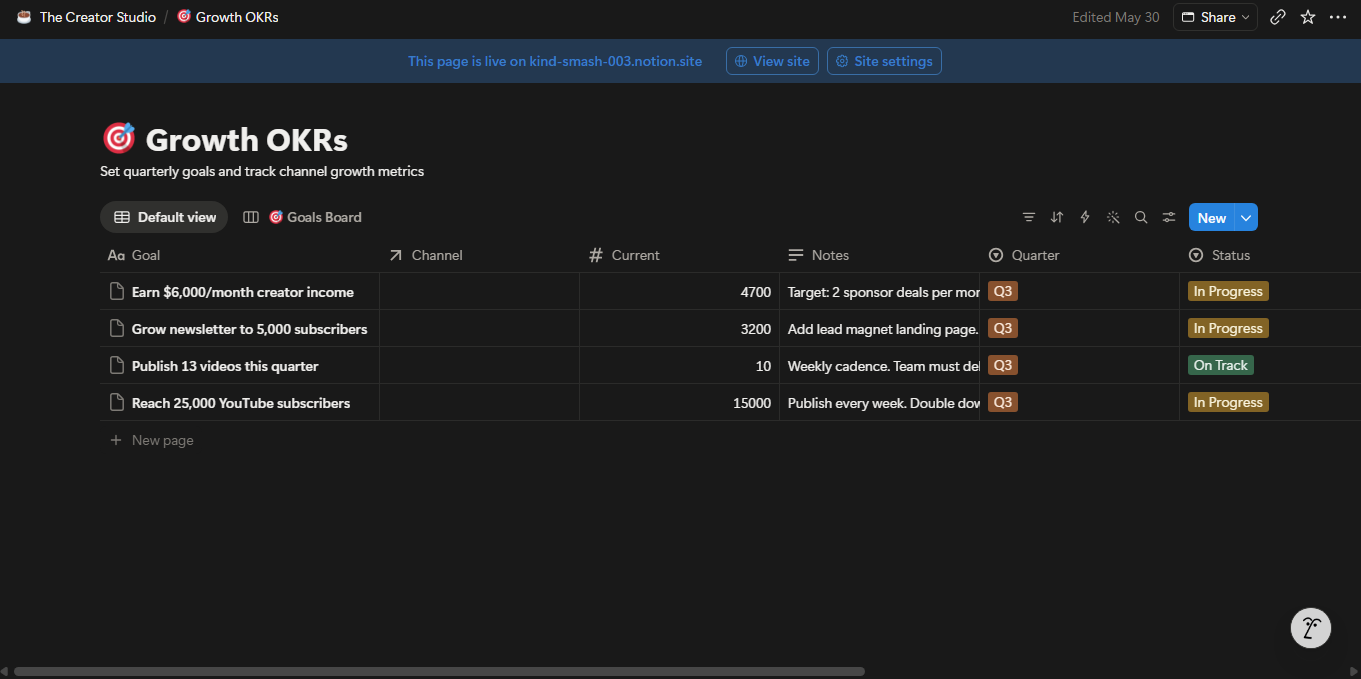
🎯 Growth OKRs — Quarterly goals linked to channels, with a new Team Output goal type. Set targets for subscriber growth, revenue, email list, publishing cadence, and team productivity — all tracked in one board.
🎨 Brand Identity Hub — Colour palette, typography, logos, tone of voice, intro and outro scripts, and CTA variations. Share this with your team so every piece of content looks and sounds like you — even when you did not make it.
👥 Community & Audience Hub — Audience milestones, newsletter tracker, community highlights, collab pipeline, and FAQ bank. Your relationship with your audience, documented and organised.
The three new systems exclusive to The Creator Studio:
🧑💼 Contractor CRM — Your complete team directory. One entry per contractor — video editor, thumbnail designer, writer, social media manager, VA, audio engineer, animator. Store their role, hourly or per-project rate, email, portfolio link, timezone, preferred contact method, and your personal notes on their strengths. Two views: By Role board for an instant team overview, and Active Contractors table for day-to-day management.
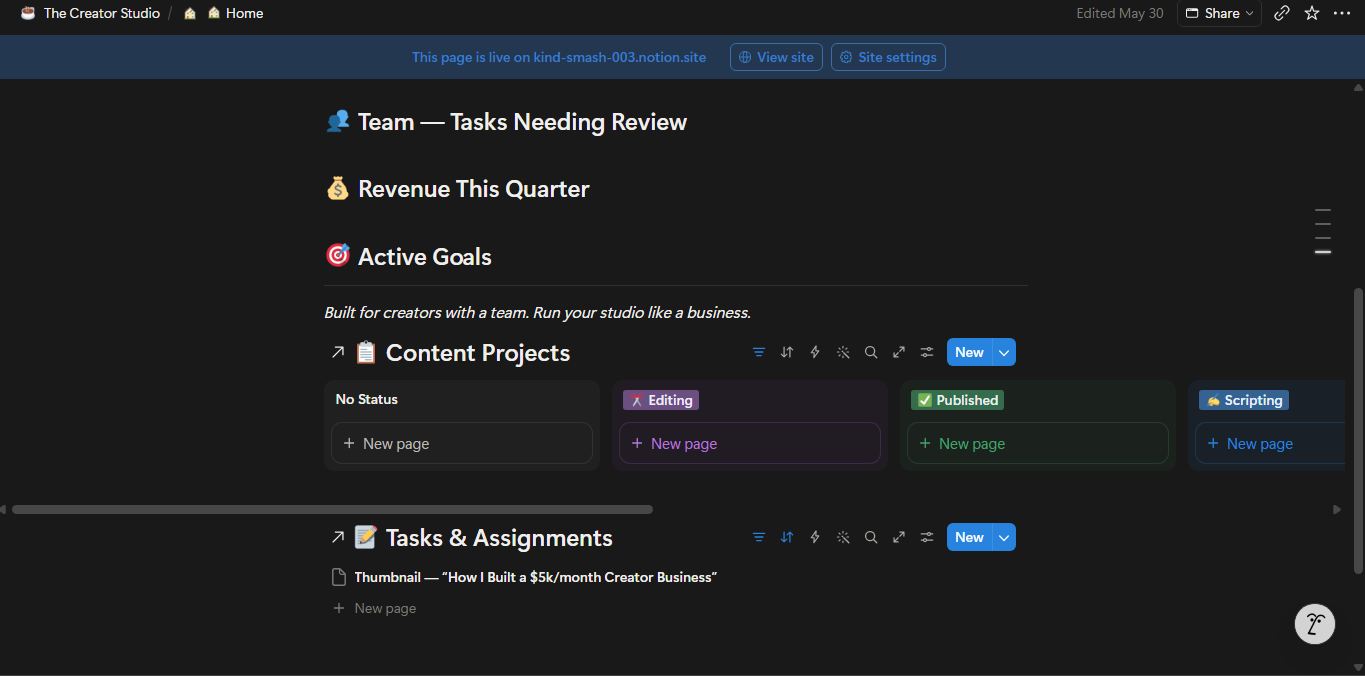
📝 Tasks & Assignments — The operational heart of your studio. Create a task for every deliverable — video edit, thumbnail, script, social post, research brief. Assign it to a contractor. Set a due date, a fee, and a priority. Move tasks through the board: Not Assigned → Briefed → In Progress → In Review → Approved → Revision Needed. Three views: Task Board, Needs Review (so you never miss something waiting for your approval), and Unpaid Tasks (so you never forget to pay someone).
💸 Payments & Invoices — A dedicated log for every payment you make to every contractor. Invoice title, contractor name, amount, invoice date, paid date, payment method, and invoice URL — all tracked. One view filters to Pending invoices so you always know what is outstanding. No more digging through email to find out if you paid someone.
🎤 Team Hub page — A dedicated page to share with your team. Includes your communication norms, quality standards, brief templates for all four deliverable types (video edit, thumbnail, script, social post), three production SOPs (video workflow, newsletter workflow, repurposing workflow), and your team’s feedback culture. New contractors get onboarded in minutes — not days.
Who The Creator Studio is built for:
✅ Creators working with 1 or more freelancers or contractors
✅ Creators planning to hire their first editor, designer, or VA
✅ YouTube channels with 10,000+ subscribers running a content operation
✅ Creator-preneurs generating $3,000+ per month who need financial visibility across the whole business
✅ Multi-platform creators whose repurposing is being handled by a social media manager
✅ Creators frustrated by running their team across WhatsApp, email, and scattered Google Docs
What you get instantly:
— 10 fully configured, interconnected Notion databases
— 20+ views across all databases including Kanban boards, filtered task lists, invoice logs, and team directories
— Contractor CRM pre-loaded with 3 sample contractors (editor, designer, VA)
— Tasks & Assignments pre-loaded with 3 sample tasks in different stages
— Revenue Tracker pre-loaded with 4 sample income entries ($4,700 total across AdSense, sponsorship, affiliate, and digital product)
— Growth OKRs pre-loaded with 4 sample Q3 goals including a Team Output goal
— Team Hub with all brief templates and SOPs fully written
— Brand Identity Hub and Community & Audience Hub fully structured
— Home dashboard with Active Pipeline board and Needs Your Review list embedded
— Full onboarding guide with weekly and quarterly team rhythms
— Works on Notion Free plan — no paid Notion subscription required
— One-time purchase. Lifetime access. All future updates included.
How it compares to the other templates:
The Content Pipeline — Your content workflow. Ideas, projects, calendar, sponsors.
The Creator OS — Your content business. Everything in the Pipeline plus revenue, repurposing, AI prompts, growth goals, brand, and community.
The Creator Studio — Your entire operation. Everything in the Creator OS plus contractor management, task assignment, payment tracking, and team SOPs. Built for creators who work with a team.
Frequently asked questions:
- Do I need a paid Notion account? No. The Creator Studio works fully on the Notion Free plan.
- Can my contractors access parts of the template? Yes. You can share individual Notion pages with guests on the Free plan. Share the Team Hub, a specific project brief, or a contractor’s task list — without giving access to your full workspace.
- I only have one contractor right now. Is this overkill? No. The Contractor CRM and Task Board work perfectly with a single contractor. Starting with the right system means you will never have to rebuild it when your team grows.
- Is this a one-time purchase? Yes. Pay once, own it forever. All future updates are included at no extra cost.
- What if I am new to Notion? The Start Here guide walks you through the full setup in 7 steps. No prior Notion experience needed.
Your content is the product. Your team is the engine. Your studio is the system that runs it all.
Add to cart and get instant access.